
 If you are anything like me you find that maintaining an organized to-do list is essential to being productive. I’ve tried many of the programs currently available, but I’ve settled on using Emacs with Org-Mode to keep track of most of what I need to get done. Emacs is a very powerful free text editor that is highly customizable, and since version 22 has Org-Mode built in. Org-mode for Emacs allows you to quickly create outlines, mark items as “TODO”, set deadlines, and assign tags to specific tasks. One big benefit of using Emacs with Org-Mode is that the file you create is saved as plain text, which means you will be able to open it in any text editor to make changes. Org-Mode also has a mobile app for iOS and Android which allows you to sync you todo lists with your mobile phone and edit them on the go!
Emacs can be a powerful tool in organizing your life, but it can be a little intimidating if you are just getting started. I hope that this tutorial shows you that with only a few simple commands you can easily organize your thoughts and keep track of everything you need to do. You don’t need to know Emacs inside and out to take advantage of Org-Mode, and even if you only use Emacs to manage your to-do list, I think you will find that the time you spent learning the program is a worth wile investment.
 I’m a big fan of ebooks because I can carry my whole library in my pocket. In this episode, I will show you how to use
  Working on a document, and honing it to perfection can be a long process of writing, receiving feedback, making changes and then repeating the cycle. When I first began using my computer to write, I would often create my first drafts with pen and paper, and then type it up on the computer. As I became more proficient with the computer, and the pressure of a career made me understand that being able to write quickly is almost as important as being able to write eloquently, I changed my workflow to eliminate steps and streamline the process of writing a document. I found that wiring a draft by hand and then typing it over again on the computer crated a lot of extra work. Also, printing drafts to mark them up with changes that I would subsequently have to type up again in the computer, not only wasted paper, but also meant that I could have a dozen different copies laying on my desk and not be sure which would be the draft I was working on. Luckily modern word processing tools offer the ability to create an all digital workflow and eliminate a lot of the extra steps that are so time consuming.
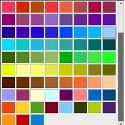 In this episode I show you how to take a dull report, and make it more visually appealing by adding color. Color helps us take a complicated subject, and make it easy to understand at a glace. The tools that
 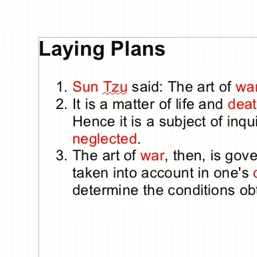 This topic was suggested by youtube viewer
  Using images in your documents is a good way to ensure that they give a lasting impression. Whether it is a resume, letter, or flyer you are creating to promote anupcomingevent,
  The recent release of Ubuntu 11.04, code named “Natty Narwhall”, includes a number of significant changes to one of the most popular open source linux distributions around. Though many of those who are discussing and reviewing the new operating system are focusing on the changes to the graphical user interface, and window manager, one of the changes that has me most excited is the switch from OpenOffice.org to LibreOffice.
 It becomes increasingly important to efficiently select the cells you are working with, in an OpenOffice.org Spreadsheet, as your spreadsheet gets bigger and bigger. Those of you who have worked with files that are thousands of rows long know what I mean. Learning a few simple keyboard shortcuts, will make your productivity increasetremendously! In this episode, we cover a few of the most useful shortcuts for selecting cells in an OpenOffice.org spreadsheet. Once you have the cells you want selected, you can use your selection to apply formatting to make your spreadsheet look nice, or use the values of your selection in calculating formulas.