
 Welcome to ilearnthings.com.
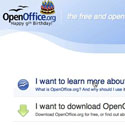
In this video, the first of a series of episodes which will introduce you to OpenOffice.org, you will learn how to obtain and install OpenOffice.org which is a free alternative to Microsoft Office. OpenOffice.org comes with a number of programs that are analogous to the Microsoft Office programs. In OpenOffice.org you will find a word processor, a spreadsheet program, a presentation program, and a database.
This video will set you on the right path, and help you integrate this alternative to Microsoft Office in your workflow. OpenOffice.org is a free alternative to Microsoft Office, and is also compatible with Microsoft Office documents. This makes it a great alternative for students, and professionals, and anybody else who ever needs to write a document, or put together a spreadsheet.